
How do I send handwritten letters to a batch of contacts?
Bulk letter execution lets you send a handwritten letter to a large group of contacts in a single submission. It's great for one-time sends like holiday cards, open house invitations, neighborhood announcements, or re-engagement outreach.
> Before you start: Make sure you have enough letter credits for your full recipient list — one credit per letter. You'll also need a CSV file with your recipient names and mailing addresses ready to go. How do I purchase letter credits?
How do I send a bulk letter batch?
- Click Campaigns in the left-hand sidebar, and select Bulk Letters at the top of the page.
- Select a campaign template from the library, or choose a blank starter template.
-
Select your card design. You can upload a custom design, create one in Canva, or choose from the Agent Legend template library. See Card design specifications for file requirements.
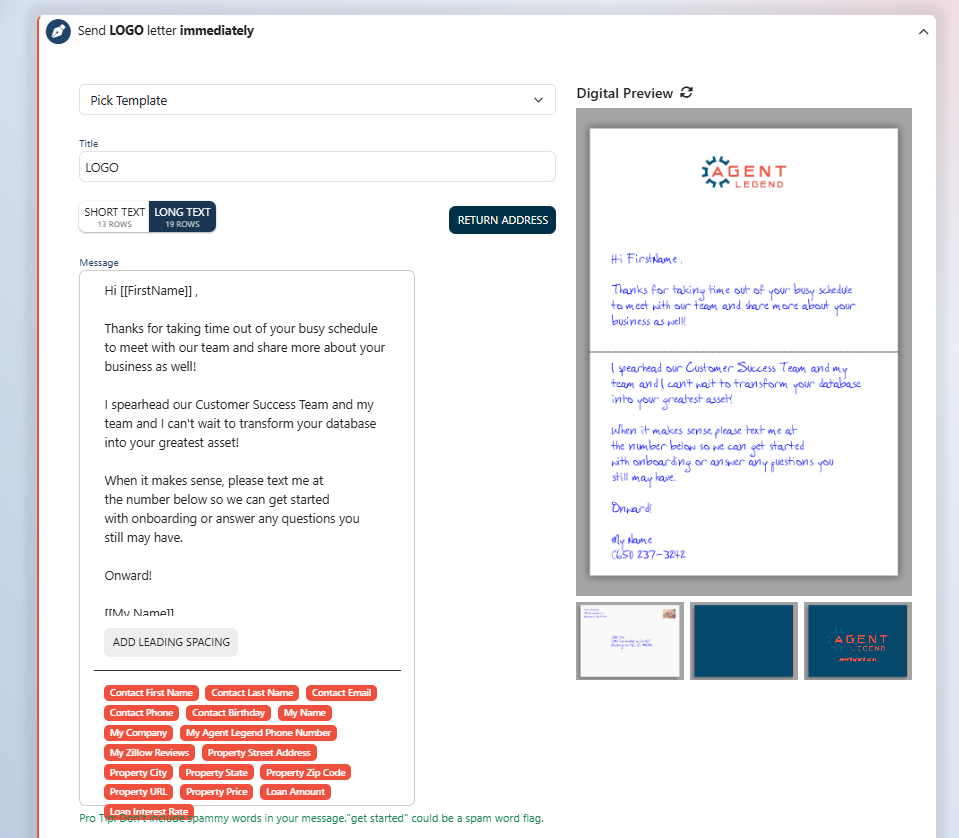
- Write your letter content. You can use merge fields like
[[FirstName]]or[[My Name]]to personalize each letter automatically for the recipient. - Review the letter proofs for your batch. Merge field placeholders will show field names at this stage — don't worry, the actual values populate when we go to production.
- Upload your recipient CSV file. Map each column in your file to the corresponding Agent Legend field. Check the box to skip any columns that don't apply.
- Click Submit to send your letters! Letters will reach their recipients in roughly 7 days.
What should my CSV file include?
At minimum, your CSV should include each recipient's first name, last name, and full mailing address (street, city, state, and zip code). Any additional columns can be mapped to merge fields in your letter or skipped during the upload step.
Can I preview before submitting?
Yes — Step 5 above shows you a proof of the letters before anything goes to production. Review them carefully, as letters begin processing immediately upon clicking Submit.
Feeling stuck? We're here to help! Reach out to us via the Support chat or send an email to [email protected] and we'll be happy to help you through the process!